GoLand Plugin
Introduction
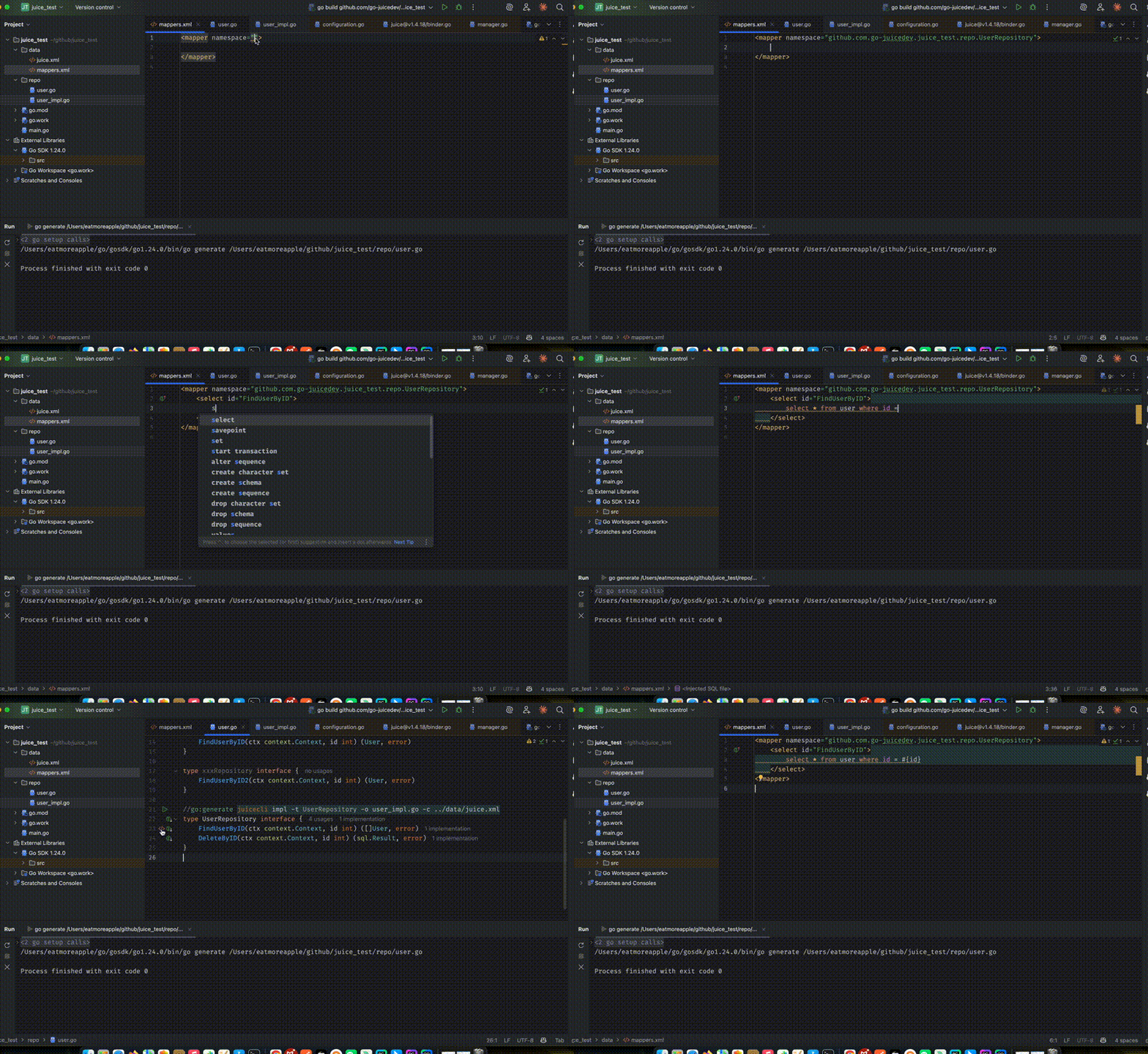
The Juice GoLand plugin is an IDE tool built specifically for the Juice framework. It improves development efficiency by providing smart navigation, auto-completion, syntax awareness, and related editor support across XML configuration and Go code.
Preview
Installation
There are two ways to install the Juice GoLand plugin:
Install from the IDE marketplace
Open GoLand.
Go to Settings/Preferences -> Plugins.
Switch to the Marketplace tab.
Search for
Juice.Click
Install.
Install manually
Download the latest plugin package from the GitHub Releases page.
Open GoLand.
Go to Settings/Preferences -> Plugins.
Click the gear icon and choose
Install Plugin from Disk.Select the downloaded plugin archive.
Main Features
Smart navigation
Jump from XML to the corresponding Go interface definition by Ctrl/Cmd-clicking the interface reference.
Jump back from Go interfaces to XML with
Alt + Bor the context menu.
Auto-completion
Namespace auto-completion in XML
Method completion for interface methods
Parameter name completion
Syntax highlighting
SQL highlighting inside XML
Highlighting for tags and attributes
Error indication for invalid syntax
Inspections
XML configuration syntax checks
Interface signature matching checks
Namespace validation
Usage Examples
Jump from XML to a Go interface:
<mapper namespace="github.com.example.repo.UserMapper">
    <!-- Ctrl/Cmd-click the namespace to jump to UserMapper -->
</mapper>
Namespace auto-completion:
<mapper namespace="github.com.example.repo.UserM">
    <!-- The IDE suggests matching namespaces while typing -->
</mapper>
SQL syntax highlighting:
<select id="GetUserById">
    SELECT * FROM users WHERE id = #{id}
</select>
Shortcuts
Ctrl/Cmd + Click: go to definitionAlt + B: find usages or navigate to related definitionsCtrl/Cmd + Space: trigger auto-completionAlt + Enter: show intentions and quick fixes
Common Issues
The plugin cannot be installed
Make sure your GoLand version is supported, typically 2023.1 or later.
Check network connectivity.
Try manual installation.
Navigation does not work
Make sure the project is configured correctly.
Check that the namespace in the XML file is correct.
Make sure the Go interface file is available and indexed.
Auto-completion does not work
Check that code completion is enabled.
Make sure indexing has finished.
Try rebuilding the IDE index.
Feedback and Support
If you run into issues or have suggestions for improvement, you can provide feedback through:
a GitHub issue on the project repository
the official documentation feedback channel
the support email address